![[personal profile]](https://www.dreamwidth.org/img/silk/identity/user.png)
Planet Geek!: QuickReview: Synergy2
Aug. 28th, 2006 07:59 pmHave to point this handy tool out to folks.
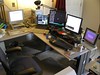 Because of the complexity of my desk, I can't really have a pile of keyboards and mouse lying around. I switch between machines constantly, and switching keyboards would just drive me batty. I had been using X2VNC for quite a while, which, while 'okay', had it's own quirks. One of which was it couldn't work in reverse (I could go from an X host to a Windows box, but not the other way around). It also wouldn't let me slide from an X display to another X display. Pretty limiting.
Enter Synergy2, a simple client-server tool set that lets you configure multiple displays to a single 'server' that controls the mouse and keyboard. With Synergy2, I'm able to configure all my machines in whatever configuration I want. At the moment I can slide my mouse off my primary Linux display onto my WindowsXP box, across it's display, and onto my laptop.
That's pretty neat, but.. the kicker? Synergy2 manages clipboard cut n paste operations across machines. If I slide over to hunter (the laptop running Ubuntu linux), highlight something and click 'Copy', then slide back to my primary desktop on yawl, I can just click 'paste' and it works. This is miraculous to my eyes!
If you run more than one machine on your desk, I highly recommend Synergy2. Available in apt repositories everywhere.
Cloned from: Planet Geek!
Category: Geekitude
Full article & comments: Link (Comment ticker:

